Effortless scanning made simple
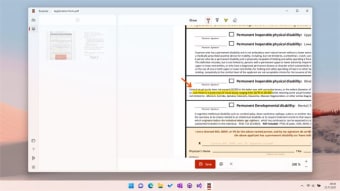
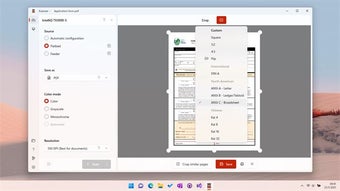
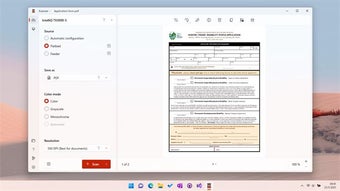
Scanner – Quick and Easy Document Scanning stands out as a productivity tool built to simplify the process of digitizing documents, receipts, and forms. Its interface emphasizes scan, crop, enhance, and save, offering efficient workflow support. For anyone handling office tasks or reports, the program delivers a clean, practical experience.
Top Recommended Alternative

Scanner – Quick and Easy Document Scanning proves effective for scanning multi-page handouts, converting receipts into PDFs, and archiving event materials. The program maintains consistent speed, strong image clarity, and reliable edge detection. Though lightweight, it integrates smoothly into daily workflows, offering dependable performance without the complexity of enterprise-grade utilities.
Balanced scanning for everyday use
Scanner – Quick and Easy Document Scanning offers automatic edge detection, cropping, and image enhancement for seamless digitization. Its streamlined workflow makes scanning and sharing simple, minimizing extra edits. While efficient for typical use, it lacks the advanced tools of premium suites. For frequent, high-volume scanning, other apps may deliver more robust features at a lower cost, limiting this program’s long-term scalability.
In testing real-world documents, receipts, and handwritten notes, the program demonstrated impressive responsiveness and consistent accuracy, converting files into clear, searchable outputs. Uploading or sharing via cloud storage and email is smooth, ensuring uninterrupted productivity. However, during high-resolution or multi-page scans, processing times noticeably increased, revealing the limits of mobile hardware. Overall, the tool performs best for routine scanning rather than heavy-duty or enterprise-level archival workflows.
Ideal for users seeking simplicity, reliability, and efficient results, the program caters well to moderate scanning needs across office, academic, and event-related tasks. It offers a balanced mix of usability and core features, making document capture straightforward. While it lacks advanced OCR and automation seen in premium suites, its stable performance and clean interface make it a dependable option for daily document management workflows.
Smart scanning tool worth it
Scanner – Quick and Easy Document Scanning delivers an intuitive and practical experience tailored for everyday users. Its greatest strength lies in its simplicity, quick setup, and consistent reliability across routine scanning tasks. While it lacks the comprehensive features of advanced utilities, it remains ideal for students, small offices, and community users seeking a dependable, no-fuss scanning solution that efficiently handles daily document management.